Comms vNext 2024 is a conference in North America dedicated to Microsoft Communications and Collaborations Technologies, which took place on 23 – 24 April 2024 in Denver, Co. I came across this post on Microsoft Loop social media at X (formerly known as Twitter).
As mentioned in my previous post about Unveiling the Power of Microsoft Loop: A comprehensive guide to its latest feature, I’ve been watching Microsoft Loop features and tips and tricks. So I’m excited to share what I’ve learned during the keynote of Comms vNext by Ron Pessner, CVP of Microsoft, and a mind-blowing demo of Jake Cohen, Michael Aldridge & Derek Liddell in the recordings.

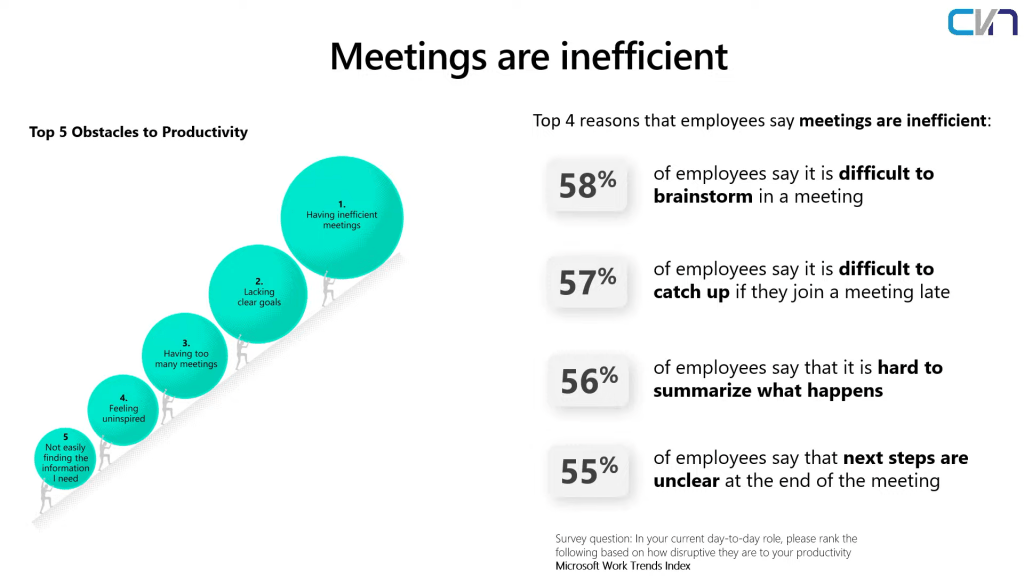
The keynote started with how technological innovation impacts the Global GDP and how AI will help transform our work and accelerate economic growth. You can read more about titled Will AI Fix Work? Work Trend Index Annual Report. It taps into the increased data we consume through emails, meetings, and notifications that impact productivity and innovation. It’s a compelling read for those interested in understanding the evolving landscape of work in the age of AI.
What strikes me most is these slides about the Evolution of Collaboration Tools. How the collaboration evolves. It extends beyond traditional boundaries, especially within the confines of a document. In today’s dynamic work environments, teams no longer merely interact with static files; they collaborate within shared workspaces, seamlessly weaving their efforts into the fabric of a single document. This collaborative ethos has only intensified after the pandemic, as remote work necessitated fluid workflows that transcend physical limitations.
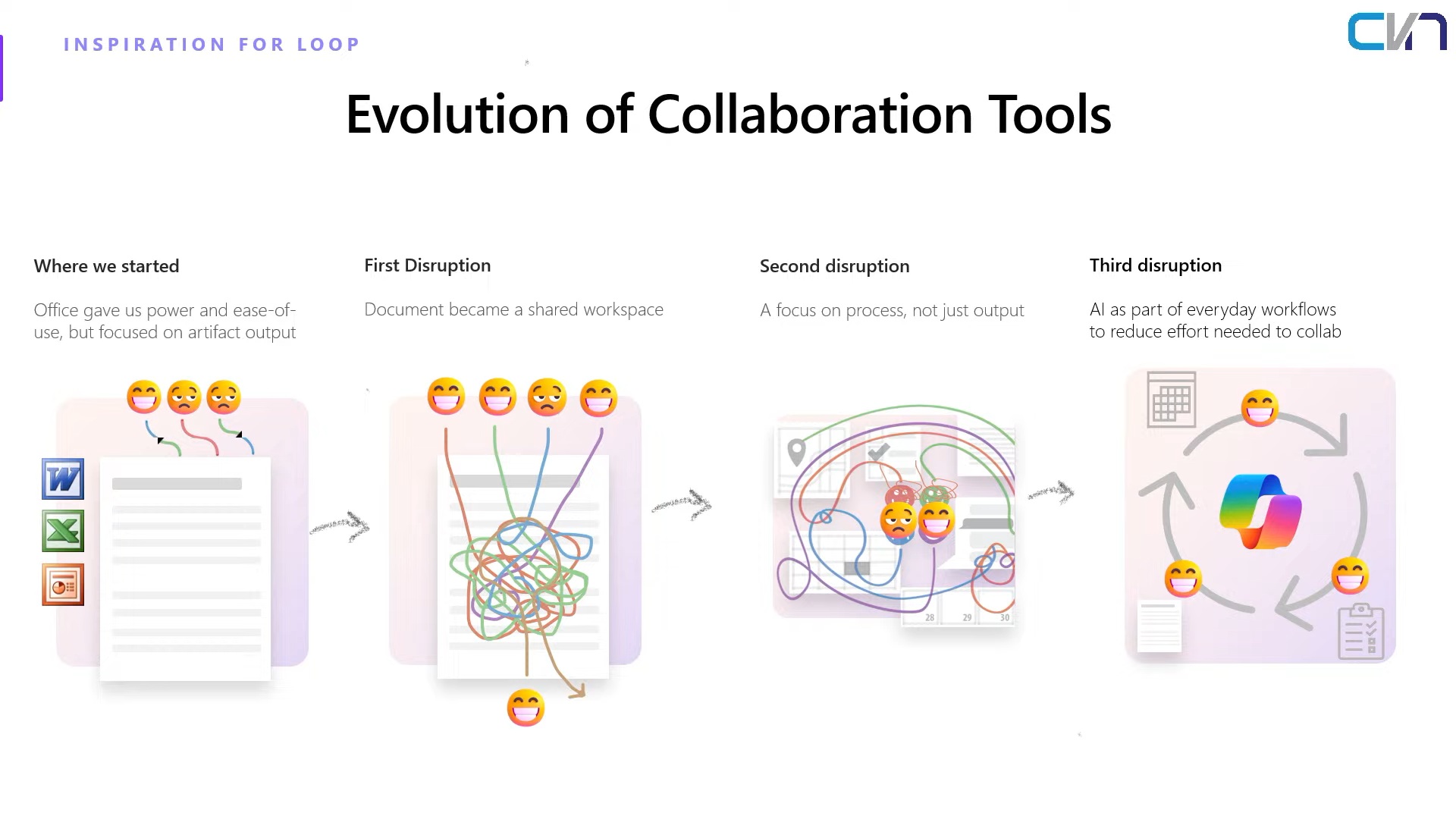
I remember when we had meetings, we tended to write down all the important information using pen and paper. After taking notes, we consolidate it all in Word, send it for approval, and there’s email back and forth regarding the changes to the document. Moreover, the challenges don’t stop with email exchanges. Collaborating with team members often requires bouncing between different applications, from messaging platforms to project management tools. This fragmented workflow can disrupt productivity and create additional hurdles in the collaboration process.
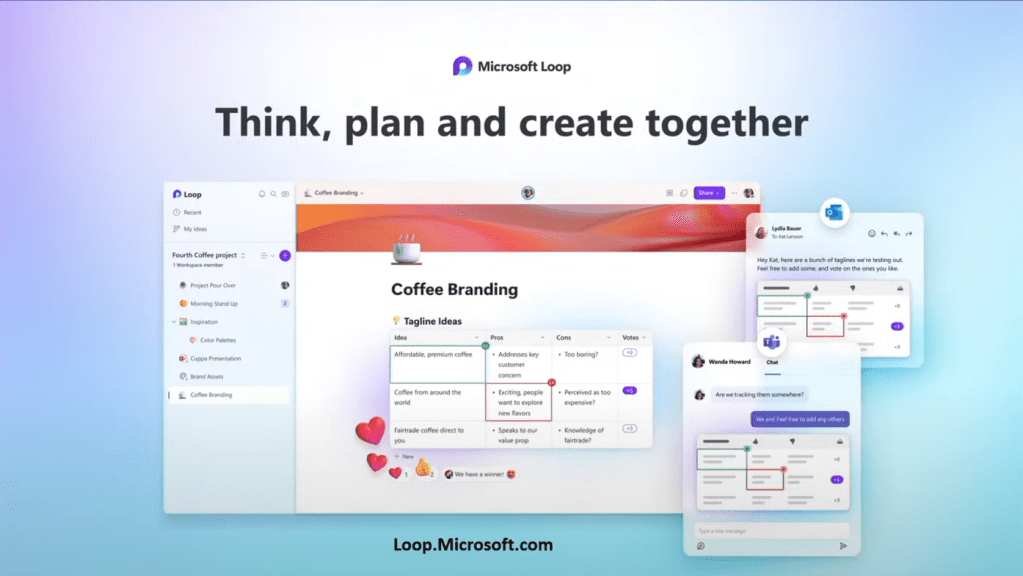
Microsoft Loop is a collaborative workspace platform integrating various Microsoft 365 tools such as Teams, Outlook, and Office apps. It allows teams to create, share, and collaborate on documents, presentations, and other content in real-time. Loop enhances collaboration by providing a centralized hub for organizing discussions, agendas, meeting notes, and follow-up tasks. Its seamless integration with other Microsoft 365 applications streamlines workflows, minimizes the need for bouncing between different tools and fosters productivity in modern work environments.
There are three components of Loop: Loop Component, Loop Pages, and Loop Workspace.
- Loop Component: Embeds dynamic content into documents, enabling live data integration and interactive elements.
- Loop Pages: Provides a flexible canvas for creating and organizing content, facilitating collaboration and iteration.
- Loop Workspace: A centralized hub for accessing, managing, and collaborating on projects, streamlining organizational teamwork.

What excites me the most is the demo! (Aren’t we all?) Here are the things I loved the most during the demo and other exciting news. 🥳
With Copilot in Teams, it summarizes group chat discussions efficiently. Collaborate seamlessly in Teams using Loop Components, which are portable across Teams Channel, Whiteboard, Outlook, and Chat.

You can easily add the Loop components by selecting the Loop icon in the chat.

Easily share the component with Outlook. Moreover, even after you’ve sent the email, any changes or additions to the shared content will be reflected in real time. This means that recipients won’t miss out on any updates or modifications, ensuring everyone stays on the same page and can access the most current information.

In Teams meetings, Loop Meeting Notes introduces a seamless way to organize discussions, agendas, and follow-up tasks. This feature encapsulates the essence of collaboration by providing participants with a centralized hub for meeting-related information. Gone are the days of scribbling notes on paper or juggling between multiple applications to gather insights.

Loop Meeting Notes consist of the agenda, meeting notes, and follow-up tasks. This structured format enables participants to easily track the progression of discussions and identify actionable items for the future.
The inclusion of follow-up tasks within the meeting notes is a game-changer. Tasks assigned during the meeting automatically sync with your Planner and To-do Lists. Moreover, the system sends timely notifications when the date approaches, keeping everyone accountable and on track.
Microsoft Loop doesn’t operate in isolation; it seamlessly integrates with other project management tools like Github, Trello, and Jira. This interoperability expands its utility beyond the confines of Microsoft’s ecosystem, catering to diverse workflows and preferences. Additionally, Loop supports embedding Figma designs directly into the meeting notes, enhancing visual communication and collaboration.

Coming Soon: The whiteboard button will be available in Teams Meeting.

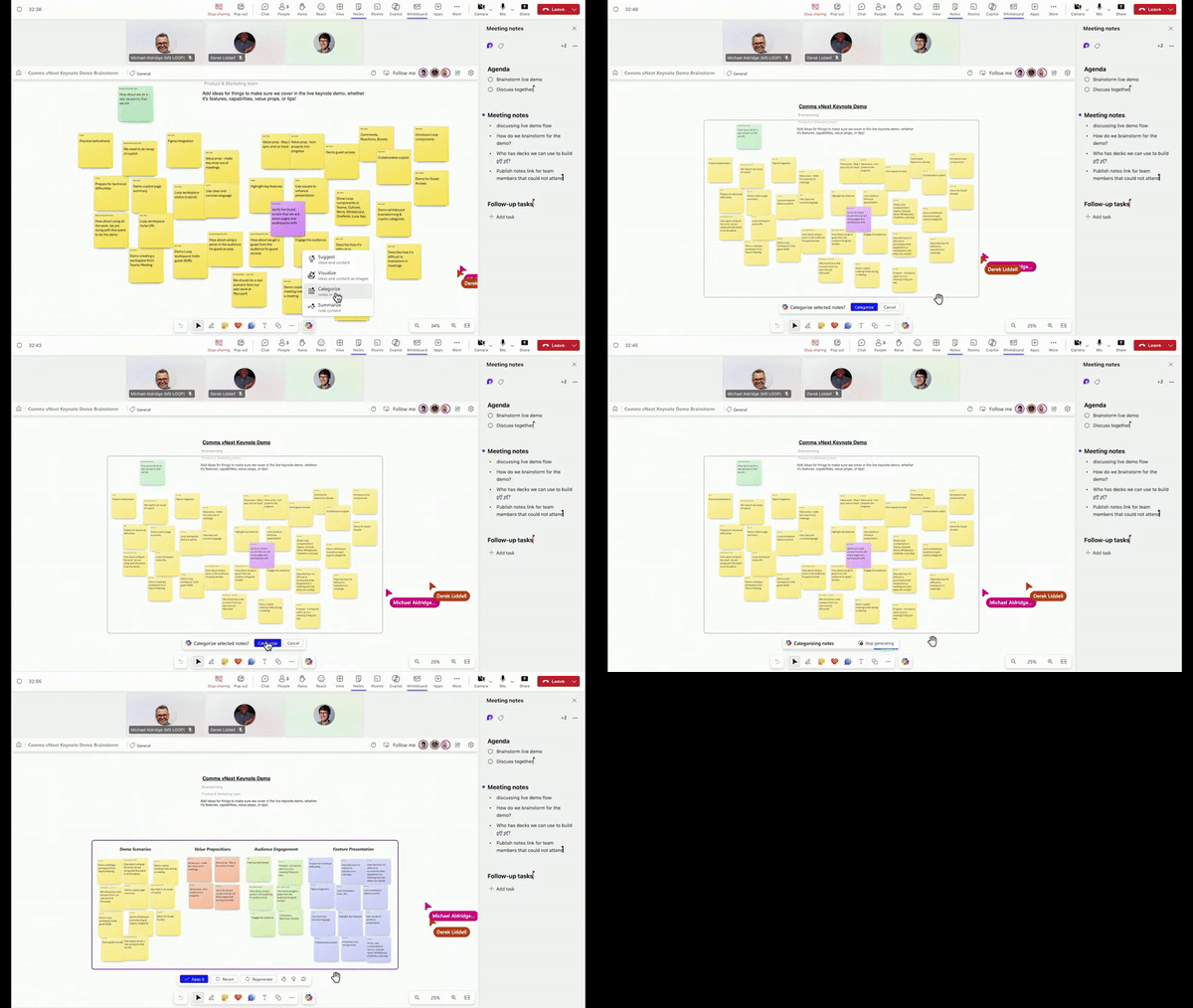
With the help of Copilot, it can Suggest, Visualize, Categorize, and Summarize the content or notes on the whiteboard.

Organizing the sticky notes in the meetings with the help of Copilot is a game-changer in the demo.
Also, It was mentioned that later this year, Copilot Meeting Notes will be able to take notes for you during meetings.
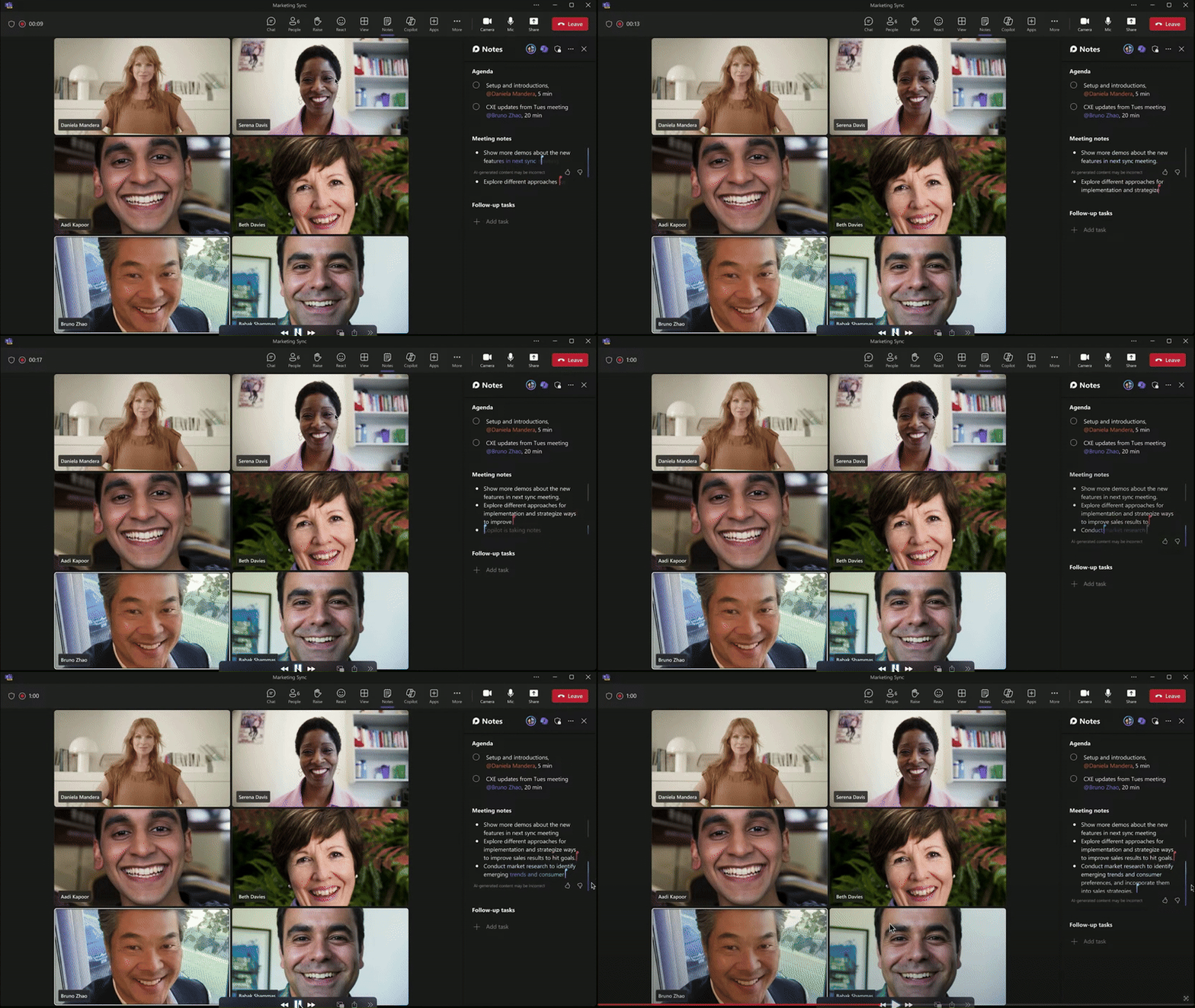
It will notify you to take notes. The blue cursor is the Copilot taking notes, using the transcription and chats. The red one is your meeting participants participating in taking notes.
After the meeting discussion, you will find a message in the chat: “Open in Loop workspace.”

Selecting this message will open the Loop app and create the workspace and the shared content during the meeting from files and whiteboards that are available under ‘Shared Meeting Content‘ for you to add to the workspace.

Now, you can continue your conversation and brainstorming in the workspace.
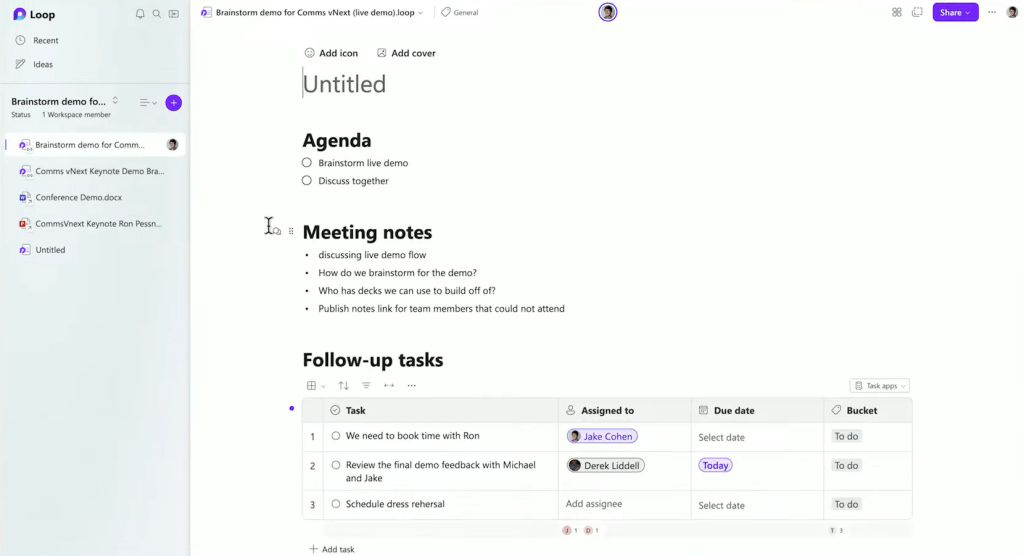
You can add additional components by typing the /menu. Add a table of contents, call out, and more. The feature that I didn’t know, and it was brilliant, was the Boost.

This feature adds a delightful touch to collaboration. Incorporating options to add hearts, celebrate, or highlight content and personalized messages fosters camaraderie and positivity among team members.

The “Boost” feature, which triggers a pop-up when you play, further enhances this interactive experience, injecting a sense of excitement and fun into everyday tasks. It’s a simple yet effective way to boost team morale and engagement, making collaboration productive and enjoyable.

🥳Rolling out next month: Guest Access to Loop
Guest access enables seamless collaboration beyond your organization’s boundaries, allowing you to brainstorm and work closely with customers and vendors within the workspace.

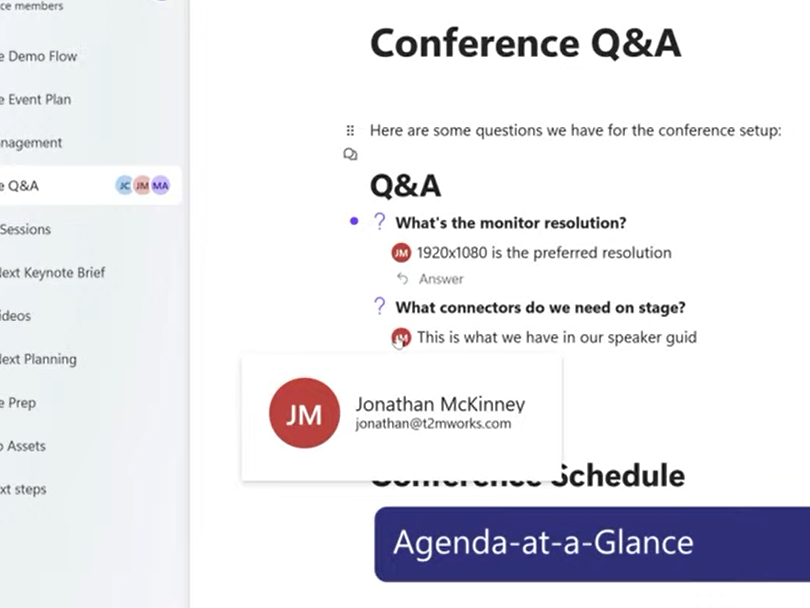
In the Loop workspace, you gain visibility into the project’s status. Selecting the Loop Status feature on the left side of the workspace gives you the workspace insights or summary of the projects. Outstanding tasks and due within a week, team recap and status labels. It gives the new team member a good summary of what’s coming and where the project is.


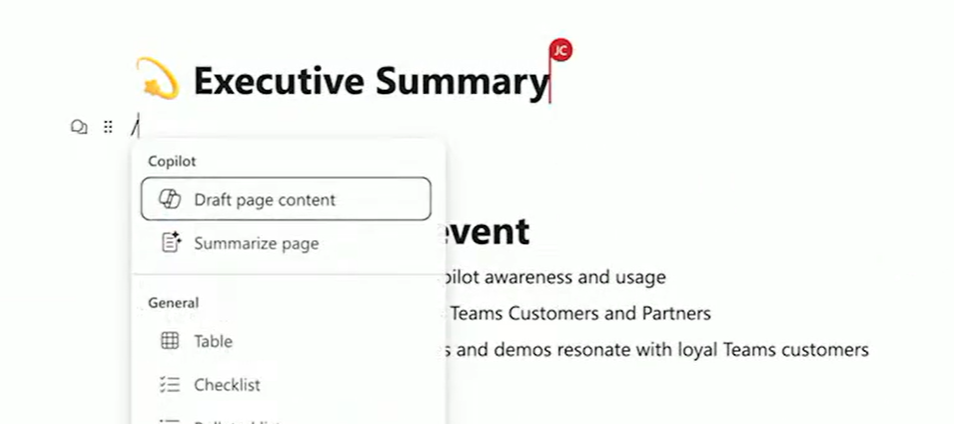
And with the help of Copilot will help you draft the page content or summarize the page.
Conclusion
With Loop + Teams + Whiteboard + Copilot = Productivity & Innovation. No more sending back and forth about the tasks and discussion during team meetings. Jumping from one application to another to collaborate on the project and track the progress. These tools empower your team to work efficiently, adapt to dynamic challenges, and drive success in today’s collaborative work environments.